
Server Management
Server Management
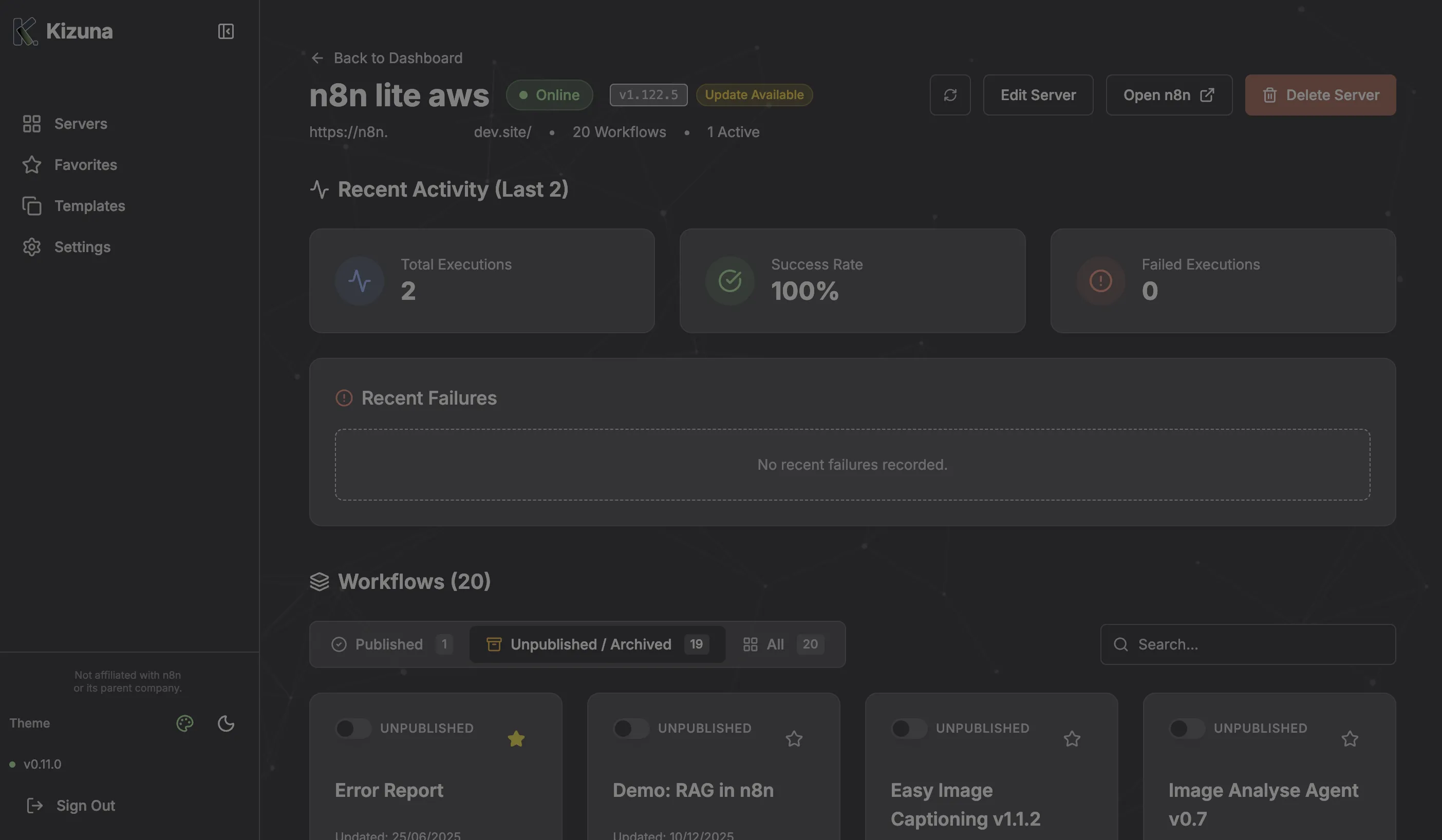
Section titled “Server Management”Clicking on any server in the dashboard takes you to the Server Details page. This is where you perform granular operations.
Workflow Management
Section titled “Workflow Management”The main view lists all workflows on the selected server.
Filtering and Search
Section titled “Filtering and Search”- Search: Filter by workflow name or ID.
- Status Filters: View
All,Active, orInactiveworkflows.
Actions
Section titled “Actions”- Toggle Status: Switch a workflow on or off directly from the list.
- View Details: See the JSON structure, tags, and version history.
- Save Version: Create a restore point (See Workflow Versioning).
Cross-Server Cloning
Section titled “Cross-Server Cloning”One of Kizuna’s most powerful features is moving workflows between servers (e.g., Dev -> Prod).
- Open a workflow.
- Click “Clone to Server”.
- Select the destination server from the dropdown.
- Kizuna copies the JSON and creates a new workflow on the target server.
Server Settings
Section titled “Server Settings”- Refresh Token: If you re-generate your API key in n8n, update it here.
- Delete Server: Remove the server from Kizuna. You can optionally download a backup of all workflow definitions before deletion.